
Creating Stop Motion Animation Videos – Quick Tips from Experts can help both beginners and professionals create smooth, creative, and engaging videos. Stop motion is a special filmmaking method where real objects are taken picture by picture.Each photo is slightly different, and when played back quickly, it looks like the object is moving.
Today, stop motion is used in ads, educational videos, social media, films, and product promotions. With the right planning and techniques, anyone can make professional-looking stop motion videos.
In this guide, you’ll find Stop Motion Animation Videos – Quick Tips from Experts that make the whole process easier, faster, and more creative.
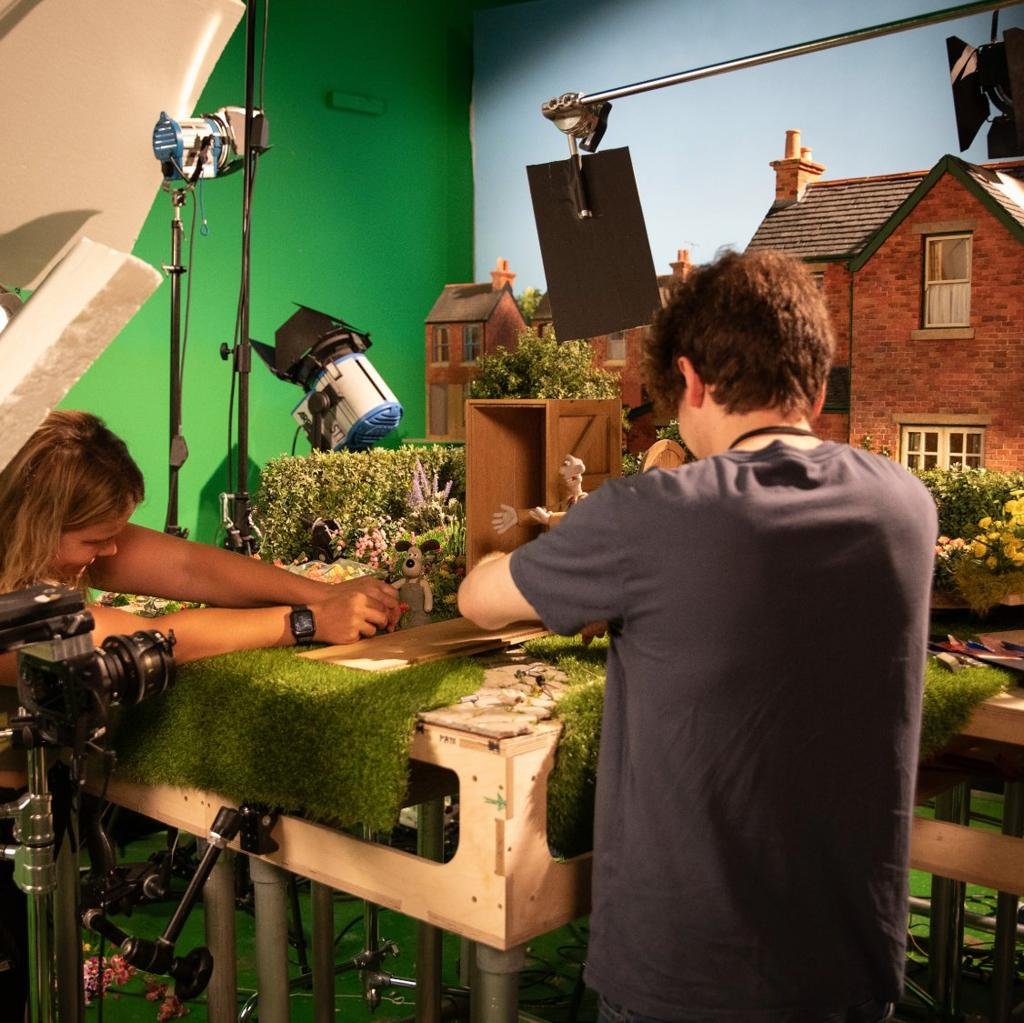
What Stop Motion Animation Looks Like
Stop motion is a technique where real objects are photographed one frame at a time.
After each picture, the object is moved slightly. When all the images are put together, they look like smooth motion.
Popular types include:
Clay animation
Paper cut-out animation
Object animation
Puppet animation
Lego animation
Whiteboard stop motion
The secret to great stop motion is patience, consistency, and creativity.
Why Stop Motion Animation Is Still Popular
Even with advanced computer graphics, stop motion remains popular because it gives a handmade, realistic, and artistic feel.
Benefits include:
Unique visual style
Highly engaging content
Creative storytelling
Great for product demos
Perfect for social media
Builds emotional connections
Many businesses and creators use stop motion because it grabs attention within the first few seconds.
Plan Your Story Before Shooting
One of the biggest Stop Motion Animation Videos – Quick Tips from Experts is planning before you even start filming.
Create a simple storyboard with:
Beginning
Middle
Ending
Camera angles
Object movements
Planning saves time and helps avoid mistakes during production.
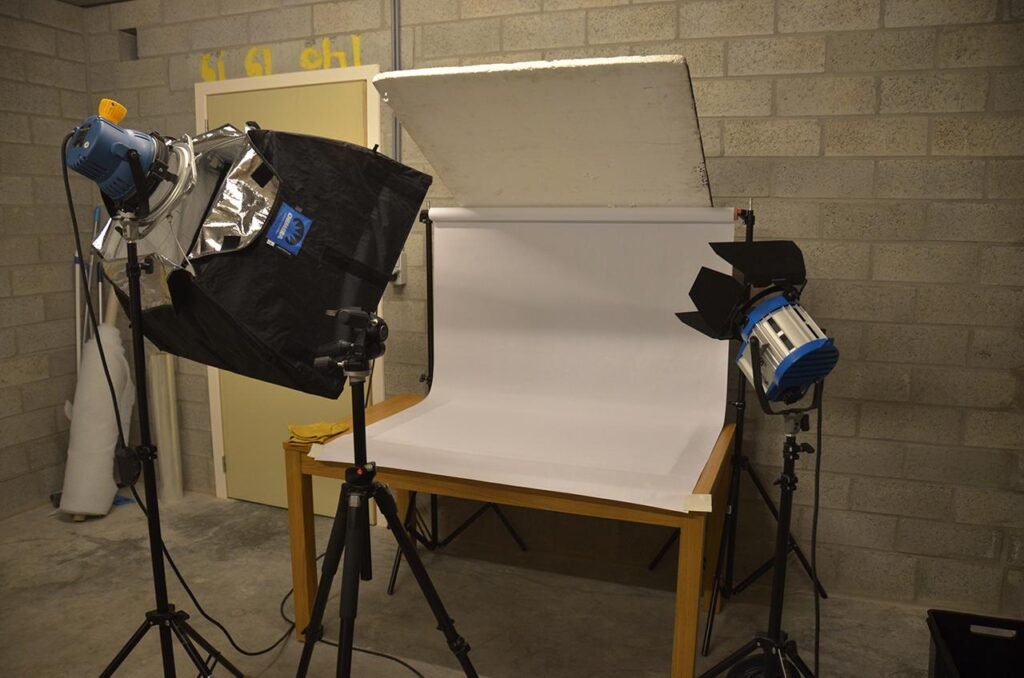
Use Stable Lighting
Lighting should stay the same throughout the entire shoot.
If the light changes between frames, the animation will flicker.
Expert tips:
Use artificial lights rather than sunlight
Keep lights fixed
Avoid moving shadows
Use soft lighting for smooth results
Consistent lighting helps make your video look professional.
Keep Your Camera Completely Still
Even the smallest camera movement can ruin the animation.
Experts recommend:
Use a tripod
Lock the camera position
Turn off image stabilisation if using a tripod
Avoid touching the camera while shooting
A stable camera makes for cleaner animation.
Shoot More Frames
One of the best Stop Motion Animation Videos – Quick Tips from Experts is shooting enough images.
Typical frame rates:
12 frames per second for beginners
15 frames for smoother animation
24 frames for cinematic quality
More frames create smoother movement.
Move Objects Slowly
Small movements create realistic animation.
Avoid moving objects too far between photos.
Experts suggest:
Move objects in tiny steps
Check each frame before taking the next picture
Keep movement speed consistent
This makes animations look natural.
Keep the Background Clean
A simple background helps viewers focus on the main subject.
Choose:
Plain colors
Solid surfaces
Minimal decorations
Avoid distracting objects that take attention away from the animation.
Use Manual Camera Settings
Professional creators rarely use automatic settings.
Lock:
Focus
Exposure
White balance
Automatic settings may change from frame to frame, causing unwanted flickering.
Manual settings ensure consistency.
Organize Every Frame
During production, you may capture hundreds of images.
Experts recommend:
Naming files properly
Keeping images in folders
Saving backup copies
Reviewing images regularly
Good organization speeds up editing.
Add Sound Effects and Music
Stop motion becomes more engaging with good audio.
You can include:
Background music
Footsteps
Object sounds
Voice narration
Natural sound effects
Good audio makes the animation feel alive.
Edit Carefully
Editing is where your animation comes together.
During editing:
Remove unwanted frames
Adjust timing
Add transitions if needed
Include text or titles
Improve colors
A polished edit gives your stop motion video a professional finish.
Common Mistakes Beginners Should Avoid
Many beginners make similar mistakes.
Avoid:
Camera shaking
Changing lighting
Large object movements
Poor planning
Messy backgrounds
Rushing the shoot
Low-quality images
Forgetting backups
Avoiding these errors improves the final result significantly.
Essential Equipment for Stop Motion
You don’t always need expensive tools.
Basic items include:
Camera or smartphone
Tripod
LED lights
Clean background
Animation software
Props
Remote shutter (optional)
Tips to Make Your Animation Look Professional
Some additional Stop Motion Animation Videos – Quick Tips from Experts include:
Keep movements consistent
Shoot in high resolution
Review your work frequently
Practice with short projects
Experiment with different angles
Add realistic sound effects
Be patient throughout the process
Small improvements can make a huge difference.

Future of Stop Motion Animation
Stop motion continues to grow because audiences enjoy authentic and creative visuals.
It is increasingly used in:
Product advertising
Educational content
Social media campaigns
Explainer videos
Entertainment
Brand storytelling
Its timeless style ensures it will remain valuable for years to come.
Conclusion
Creating amazing stop motion videos takes creativity, planning, and patience. By following these Stop Motion Animation Videos – Quick Tips from Experts, you can create smoother animations, improve storytelling, and achieve professional-quality results.
Whether you’re making content for social media, education, or marketing, practicing these techniques will help you grow your skills.If you’re looking for creative animation solutions and professional video production services, framexentertainment can help bring your ideas to life.
Frequently Asked Questions (FAQs)
What is stop motion animation?
Stop motion animation is a filmmaking technique where objects are moved slightly between photographs to create the illusion of movement.
Is stop motion animation difficult to learn?
Beginners can learn it with practice, patience, and simple equipment.
Can I create stop motion videos using a smartphone?
Many smartphones have excellent cameras suitable for creating stop motion animations.
How many photos are needed for one second of animation?
Typically, 12 to 24 photos are used for one second, depending on the desired smoothness.
What is the biggest mistake in stop motion animation?
The most common mistakes are camera movement, inconsistent lighting, and moving objects too much between frames.